ParcelVision
Can You Find Property Lines on Your Phone?
Short answer: yes. You can pull up property lines on your phone using county GIS websites, map-based parcel apps, or AR boundary apps. They're great for getting your bearings on a piece of land, but they rely on GPS and public records — not a physical survey — so treat them as a solid reference, not a legal guarantee.
Not long ago, figuring out where your property lines were meant digging through filing cabinets at the county office or paying a surveyor to come out. Now you can stand in your backyard, pull out your phone, and see those boundaries on screen. It's genuinely useful — but it helps to know what you're working with and where the limits are.
Types of Phone-Based Property Line Tools
You've got three main options here, and they each work differently.
County GIS and Parcel Viewer Websites
Most U.S. counties run online GIS maps that overlay parcel boundaries on aerial imagery. They work right in your phone's browser — no app to install. Just search by address or parcel number and you'll see your lot boundaries layered on top of satellite photos.
The price is right (free), and the data comes straight from official county records. The downside? These sites were built for desktop screens, so pinching and zooming on your phone gets old fast. And they don't do anything to help you understand boundaries when you're actually standing on the property looking around. You're just staring at a map.
Map-Based Property Line Apps
A bunch of apps take that same county parcel data and wrap it in a much friendlier mobile interface. You get a cleaner layout, GPS tracking that shows your position relative to the boundaries, and sometimes offline data so you can use the app without cell service.
These are solid for planning. You can see the overall shape and size of a property from a bird's-eye view, measure distances, and estimate acreage. If you're trying to figure out where a new shed or fence would sit relative to the lot lines, a map-based app handles that well. The limitation is still that top-down perspective — you're looking at a map, not the actual land in front of you.
Augmented Reality (AR) Boundary Apps
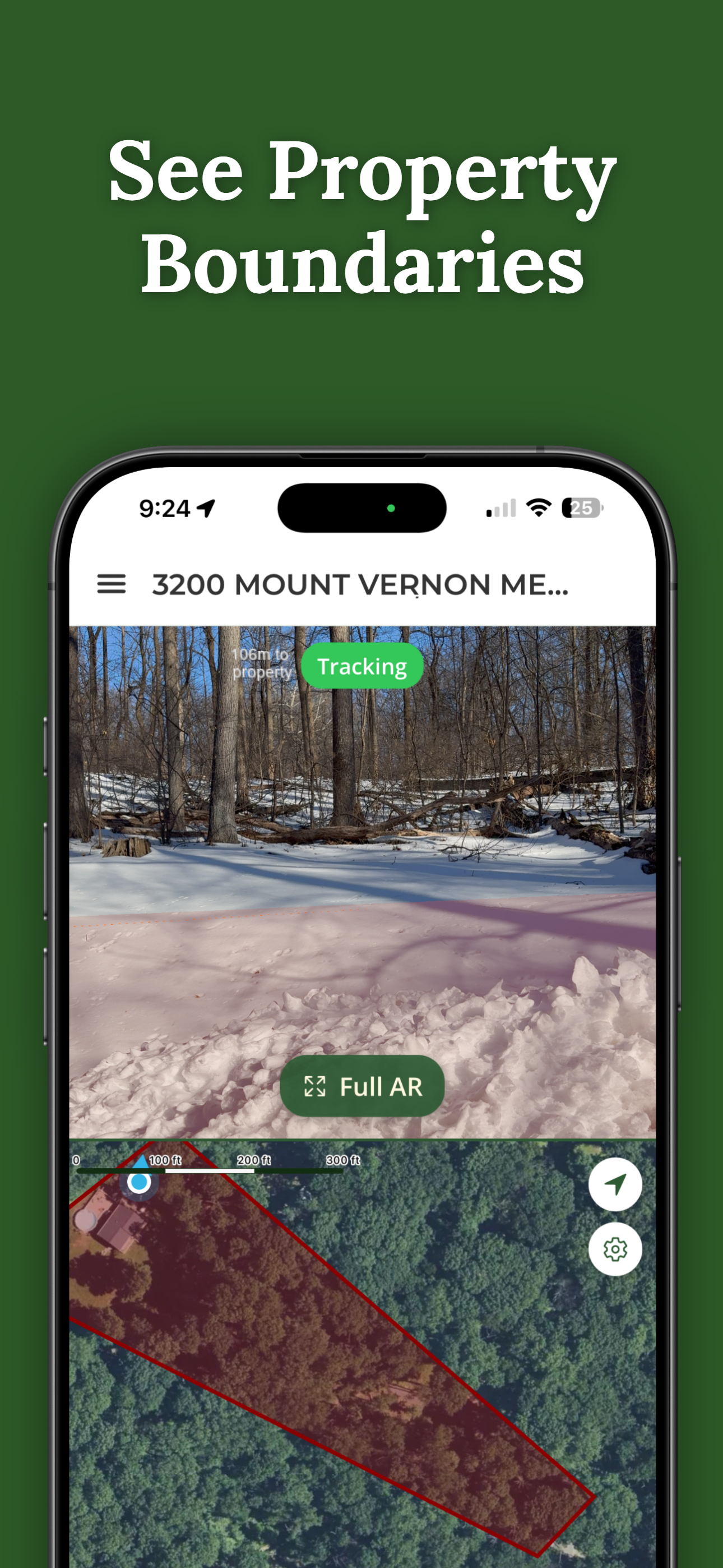
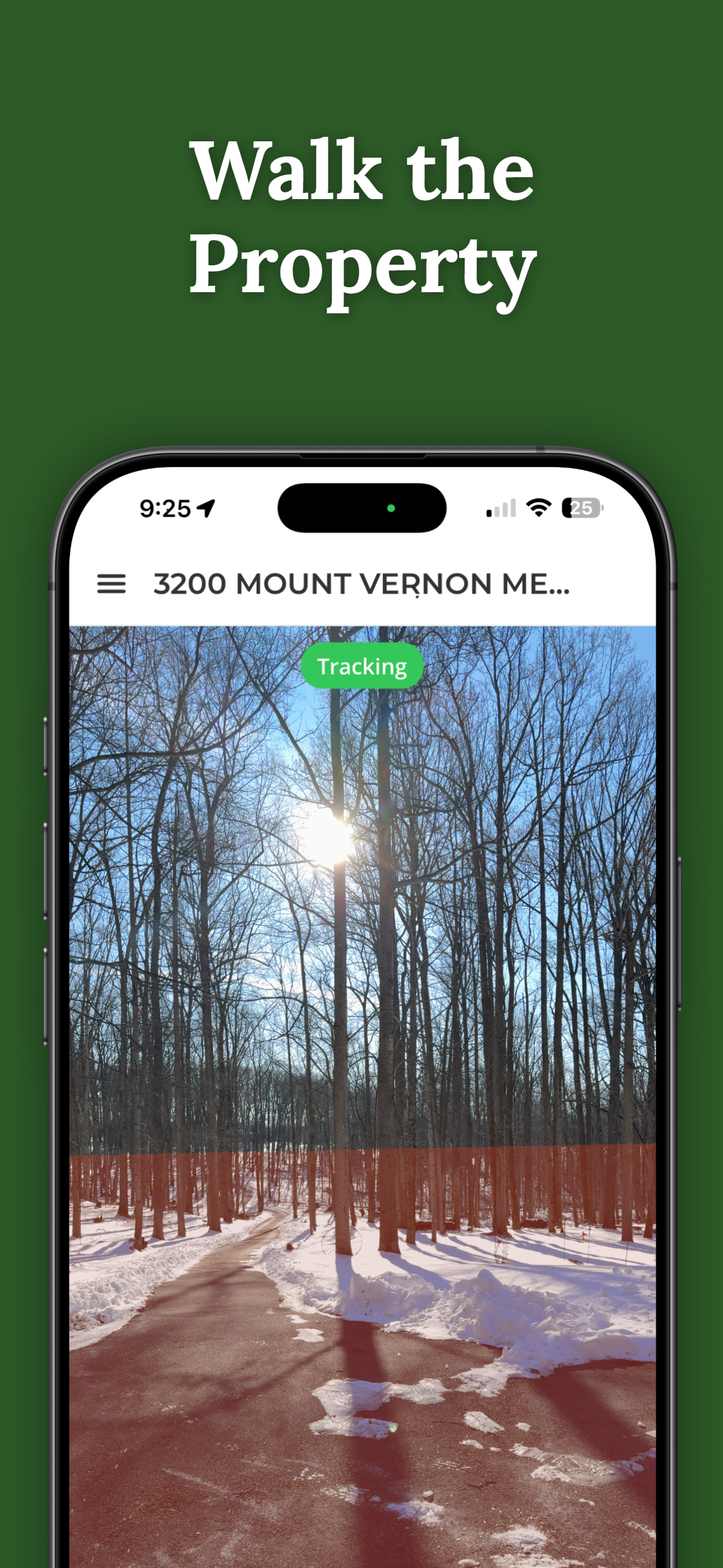
This is the newest category, and honestly the most interesting. AR apps use your phone's camera, GPS, and motion sensors to project boundary lines right onto a live view of your surroundings. You hold up your phone, look through the camera, and see colored lines showing where the property boundaries are — overlaid on the actual trees, fences, and ground in front of you.
That makes a huge difference when you're walking a property. Instead of looking down at a map and then up at the landscape trying to mentally connect the two, you just... see it. The boundary runs right past that oak tree. The corner is near that pile of rocks. It clicks in a way that maps alone don't.
How Accurate Are Phone-Based Property Lines?
This is the question everyone asks, and it deserves a straight answer. Accuracy has two layers: the data itself and your phone's GPS.
The data comes from county assessor records — deeds, plat maps, recorded surveys. It's generally solid for showing you the shape and approximate position of a property. That said, some rural counties or areas with older records have data that's a little rough around the edges. You might notice parcel lines that don't perfectly align with the aerial photos. It's not wrong, exactly — the satellite image and the parcel data just come from slightly different coordinate sources.
Your phone's GPS is typically accurate to about 10 to 16 feet under open sky. Walk under heavy tree cover, stand near a tall building, or drop into a valley, and that number gets worse. So the line you see on your phone might be off by a car-length or so from the true boundary.
For everyday stuff — getting a feel for where your yard ends, figuring out which side of a tree line is yours, or scoping out a property you're thinking about buying — that's plenty accurate. You're not going to accidentally think your neighbor's house is on your lot. But if you're about to pour a concrete foundation 3 feet from the property line, or you've got a genuine dispute with a neighbor, you need a licensed surveyor with proper equipment. For a deeper look, check out our article on how accurate property line apps are.
Tips for Getting the Best Results
A little prep goes a long way. Here's how to squeeze the most accuracy out of your phone:
- Start in the open. GPS needs a clear view of the sky. Heavy tree cover, tall buildings, and narrow valleys all degrade the signal. Walk to an open spot first, let the app get a good fix, then move toward the tricky areas.
- Give it a minute. Don't start walking the second you open the app. Let your phone lock onto GPS satellites for 30-60 seconds. Rushing this step is the fastest way to introduce error.
- Look for physical markers. If you can find a metal pin or survey monument in the ground, compare its position to what the app shows. That tells you exactly how much drift you're dealing with at that location.
- Cross-check with the county GIS site. If both the app and the county map agree on where the boundary is, that's a good sign. Two sources saying the same thing is better than one.
- Download data before you drive out. Heading to a rural property with spotty cell service? See if your app lets you pre-load parcel data. Nothing's more frustrating than standing on 50 acres with a blank screen.
When Phone Tools Are Enough
A phone app is the right tool for plenty of real situations:
- Walking a property you're thinking about buying to understand what you'd actually own
- Figuring out where your yard ends before you start a landscaping project
- Exploring rural or wooded land where there aren't obvious boundary markers
- Checking whether your neighbor's new shed looks like it's on your side of the line
- Showing your hunting buddies or land manager exactly where your property runs
When You Need More Than a Phone
Phone apps have real limits, and some situations call for a professional survey:
- You're building something permanent. Most jurisdictions require a survey showing the structure's position relative to property lines before they'll issue a permit. An app won't cut it.
- You've got a dispute. If you and your neighbor can't agree on where the line is, only a licensed survey gives you evidence that holds up in court.
- You're selling or subdividing. Buyers, lenders, and title companies typically want a current survey before closing.
- You're putting a fence right on the line. Even 10 feet of GPS drift could land your fence on your neighbor's property. A survey eliminates that risk.
For more ways to figure out your boundaries without hiring a surveyor, check out our guide on how to find property lines without a survey.
How ParcelVision Helps
ParcelVision is an AR property line app for iPhone. Type in an address, point your phone, and see boundary lines projected right onto the real world through your camera. It's the fastest way to go from "I think the property line is somewhere over there" to actually seeing it on the ground.
Download on the App StoreThis article is for informational purposes only and isn't legal advice. Phone-based property line tools are reference tools — they don't replace a licensed land survey for legal or construction purposes.