ParcelVision
Best Property Line Apps in 2026
The best property line app depends on how you plan to use it. ParcelVision is the top choice for walking boundaries in person using augmented reality. onX Maps is best for hunters and outdoor recreation. LandGlide is ideal for quick real estate lookups. Regrid covers professional data research, and Google Earth works as a free basic option.
Whether you just bought property, need to settle a fence line question, or want to understand your land before hunting season, a property line app can save you significant time and effort. But with several options available, it is not always obvious which one to choose.
We compared five of the most popular property boundary apps across features, pricing, platforms, and use cases. This guide covers what each app does well, where it falls short, and which one makes the most sense for your situation.
Comparison at a Glance
| Feature | ParcelVision | onX Maps | LandGlide | Regrid | Google Earth |
|---|---|---|---|---|---|
| View Type | AR + Map | 2D Map | 2D Map | 2D Map | Satellite |
| Pricing | $14.99/property | $29.99–$99.99/yr | $9.99/mo or $49.99/yr | Free (basic) / $49/mo (pro) | Free |
| Platform | iOS | iOS, Android, Web | iOS, Android | Web, iOS, Android | Web, iOS, Android |
| Sharing | Unlimited, free | Per-account | Per-account | Limited free | N/A |
| Offline | Yes | Yes | Yes | No | Limited |
| Best For | Walking boundaries in person | Hunters, outdoor recreation | Real estate, quick lookups | Data research, bulk analysis | Quick visual reference |
1. ParcelVision
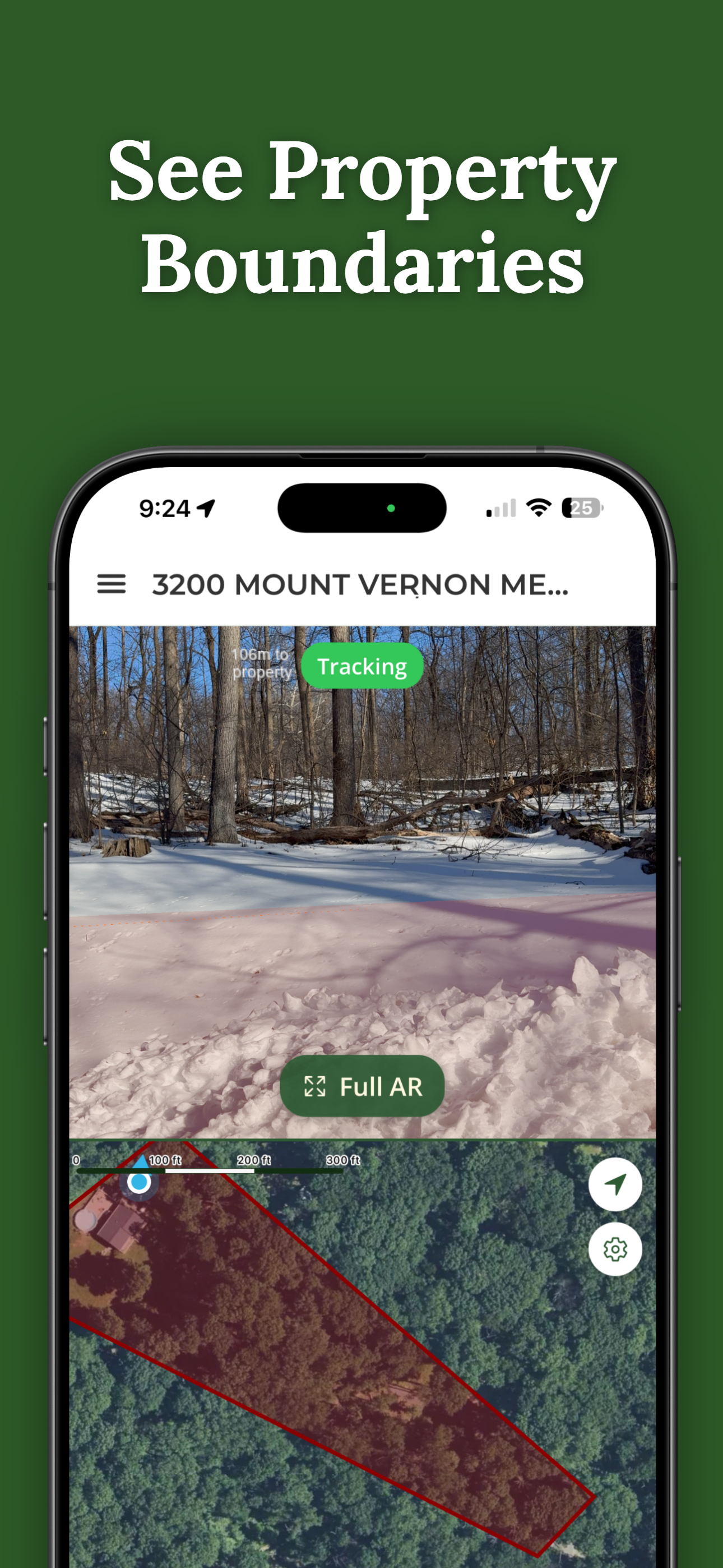
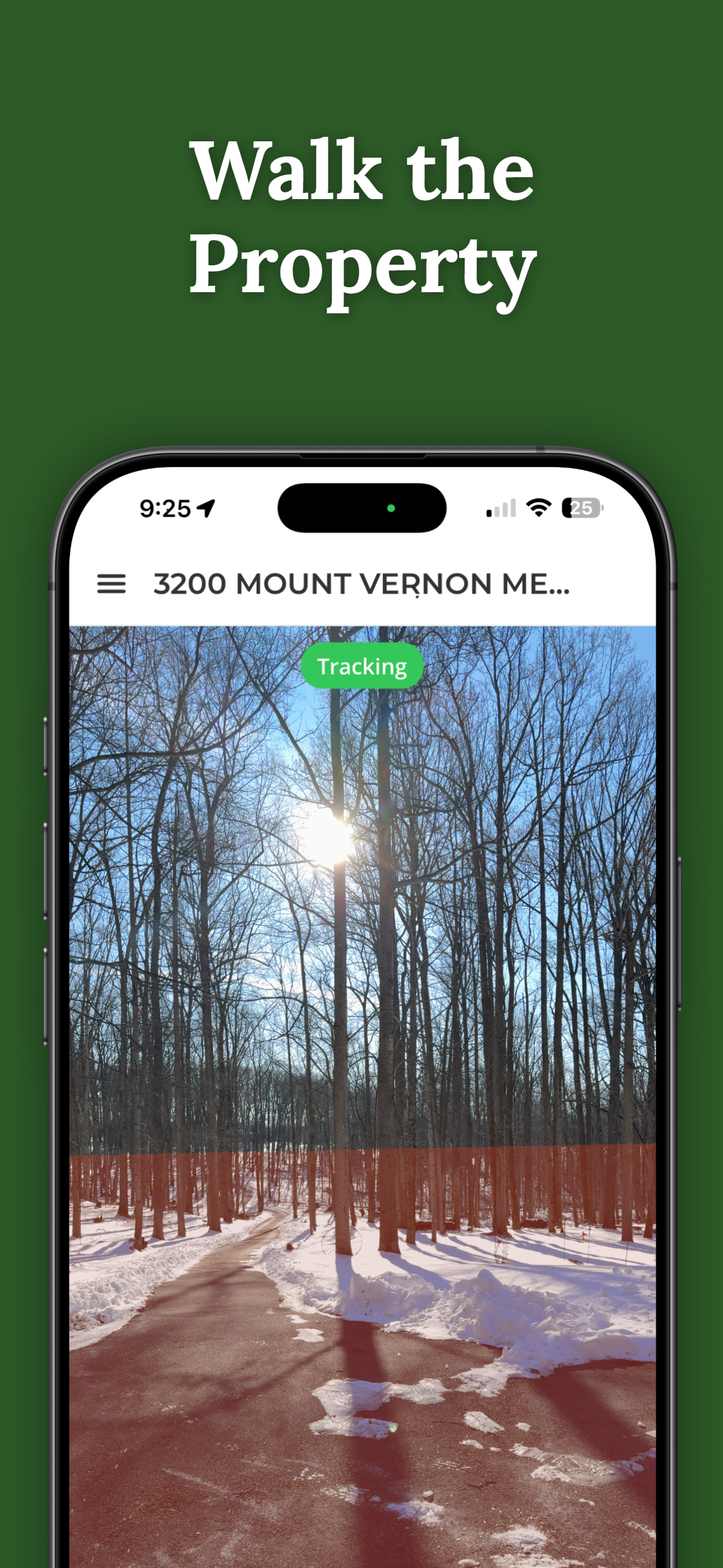
ParcelVision takes a fundamentally different approach from other property line apps. Instead of drawing boundaries on a flat map, it uses augmented reality to project property lines directly onto the real world through your iPhone camera. You point your phone at the land, and the boundary lines appear overlaid on what you see, as if they were painted on the ground in front of you.
This AR approach solves a real problem. With traditional 2D map apps, you are constantly trying to match what is on your screen with what is around you. ParcelVision removes that mental translation step. You can walk along a boundary and see in real time where the line falls relative to trees, fences, and other landmarks. The app also includes a standard map view for orientation.
ParcelVision uses a one-time pricing model at $14.99 per property, which includes unlimited sharing. You buy a property card once and can share it with family, neighbors, hunting partners, or anyone else for free. There are no subscriptions and no recurring fees.
Pros
- AR visualization shows boundaries in the real world
- Share with unlimited people at no extra cost
- One-time price per property, no subscription
- Works offline once property data is downloaded
Cons
- iOS only (no Android or web version)
- No trail navigation or route planning
- Reference tool, not survey-grade accuracy
2. onX Maps
onX Maps started as a hunting-focused mapping app and has grown into one of the most popular outdoor mapping platforms available. Its property boundary feature is part of a broader package that includes topographic maps, public and private land layers, GPS tracking, and trail navigation. If you spend a lot of time outdoors and need property boundaries as part of a larger toolkit, onX is hard to beat.
The app's public land layers are especially valuable for hunters. You can quickly see which land is public versus private, identify land management agencies, and plan routes that stay within legal boundaries. Offline maps let you download entire areas for use without cell service, which is essential in remote hunting areas.
onX uses a subscription model with tiers ranging from about $30 to $100 per year depending on the plan and features you need. The higher tiers include additional features like weather overlays and 3D maps. Each subscription is tied to a single account, so sharing means each person needs their own subscription.
Pros
- Public land and land management agency layers
- Trail navigation and GPS route tracking
- Works offline with downloadable map areas
- Available on iOS, Android, and web
Cons
- Annual subscription required ($30 to $100 per year)
- No AR view; boundaries shown as 2D overlay only
- Can be overwhelming if you only need property lines
3. LandGlide
LandGlide is one of the most widely used property line apps, particularly popular among real estate professionals, homebuyers, and anyone who needs quick access to parcel information. The app overlays property boundaries on a map and lets you tap any parcel to see ownership details, assessed value, and other publicly available data.
The app's strength is speed and simplicity. You open LandGlide, and it immediately shows you property boundaries around your current location or any address you search. It is straightforward and does not require much learning. For real estate agents doing drive-bys or homeowners curious about neighboring parcels, this quick-lookup functionality is the main draw.
LandGlide uses a subscription model at $9.99 per month or $49.99 per year. Property data coverage is extensive across the United States, though the depth of information varies by county. Sharing is tied to individual accounts, so each user needs their own subscription.
Pros
- Property owner data and assessed values included
- Fast, simple lookups by location or address
- Available on both iOS and Android
- Broad nationwide parcel coverage
Cons
- Subscription required ($10/month or $50/year)
- No AR view; boundaries on a flat map only
- Offline access limited on lower-tier plans
4. Regrid
Regrid (formerly Loveland Technologies) is a parcel data platform that approaches property boundaries from a data-first perspective. It maintains one of the largest parcel datasets in the United States and makes it accessible through both a web interface and mobile apps. The free tier lets you view basic parcel boundaries and limited property details. The professional tier unlocks bulk data exports, API access, and more detailed property attributes.
Regrid is built more for professionals who need property data at scale than for individuals checking a single boundary. Land developers, government agencies, title companies, and researchers are the core audience. If you need to analyze parcels across an entire county or export data for a project, Regrid has capabilities that consumer apps do not offer.
The free tier is genuinely useful for casual boundary checks on the web, but the full power of the platform sits behind the professional subscription at $49 per month. The interface is more complex than consumer-oriented apps, which can be a barrier for people who just want to see where their property line is.
Pros
- Extensive and detailed parcel data nationwide
- Bulk analysis and data export capabilities
- Free basic tier for casual lookups
- Available on web, iOS, and Android
Cons
- Professional tier is expensive at $49 per month
- More complex interface than consumer apps
- No offline mode and no AR view
5. Google Earth
Google Earth is not a property line app in the traditional sense, but it can be used to view parcel boundaries if you are willing to do some manual setup. Many county assessor and GIS offices publish property boundary data as KML files or through web mapping services. You can download these files and load them into Google Earth to see parcel outlines overlaid on satellite imagery.
The appeal of Google Earth is that it is completely free and most people are already familiar with its interface. The satellite imagery is often higher resolution than what you get in dedicated property apps, which can help with identifying landmarks and features on the ground. For a quick visual reference, it can be a useful starting point.
The significant downside is that Google Earth does not include built-in parcel data. You have to find and import the data yourself, which means locating your county's GIS portal, downloading the right files, and loading them correctly. Not every county publishes data in a format that Google Earth can use. The mobile app also has limited functionality compared to the desktop version, and there is no AR component.
Pros
- Completely free to use
- Familiar, widely-used interface
- High-resolution satellite imagery
Cons
- No built-in parcel data; requires manual KML import
- Setup varies by county and is not always straightforward
- No AR, limited mobile functionality
Which App Is Right for You?
Each of these apps serves a different primary use case. Here is a quick guide to help you choose:
Many property owners find that they use more than one app. You might use Google Earth for an initial satellite view, then use ParcelVision to physically walk the boundaries and see them in augmented reality. The apps complement each other depending on the situation.
How ParcelVision Is Different
ParcelVision is the only property line app that uses augmented reality to project boundaries onto the real world through your iPhone camera. Instead of interpreting a flat map, you can walk your property and see exactly where the lines fall around you.
Download on the App StoreApp features and pricing are based on publicly available information as of February 2026 and may change. ParcelVision is not affiliated with any of the apps mentioned in this comparison. Property line apps provide boundary visualization for reference purposes and do not replace a professional land survey.